Self-service kiosks deliver value when they work consistently. A kiosk that operates reliably becomes an asset; one that frequently fails or performs poorly quickly becomes a liability that frustrates users and weakens the return on investment in self-service technology. In practice, the difference between those outcomes often comes down to what happens after deployment—how maintenance is handled, how issues are monitored, and how quickly support can respond when something goes wrong.
Organizations that treat kiosks as "install and forget" systems usually face more downtime, more expensive repairs, and more operational disruption over time. Those that approach maintenance as an ongoing part of kiosk ownership—through preventive care, remote monitoring, clear service expectations, and reliable vendor support—tend to maintain higher uptime and stronger long-term economics.
Preventive Maintenance Requirements
Preventive maintenance helps keep kiosks operating reliably by addressing wear, contamination, and minor issues before they turn into failures. While the exact requirements depend on kiosk type, location, feature set, and transaction volume, several maintenance priorities apply across most deployments.
Touchscreen Cleaning and Care
Touchscreens are one of the most visible and heavily used kiosk components, which means they accumulate fingerprints, residue, and surface buildup quickly in public environments. Over time, that affects both visual clarity and, in some cases, touch responsiveness if contaminants begin interfering with the sensing surface.
Regular cleaning helps preserve both appearance and performance, but the cleaning method matters. Harsh chemicals, abrasive cloths, or incorrect cleaning agents can damage coatings and reduce long-term screen integrity, so manufacturers typically specify approved solutions and procedures. In high-traffic environments, daily cleaning may be necessary, while lower-volume locations may only need weekly attention. The best schedule usually reflects actual usage patterns rather than a fixed calendar interval.
Consumable Replacement
Kiosks equipped with receipt printers, ticket dispensers, or card readers require regular consumable management as part of routine maintenance. Paper rolls run out, printer components wear gradually, and card reader cleaning materials must be used periodically to maintain reliable operation.
Tracking usage patterns helps prevent simple but disruptive issues such as a kiosk running out of receipt paper during peak traffic periods. Many modern systems support alerts when consumables run low, allowing staff to replace supplies before service is interrupted. Buying consumables in bulk often lowers cost per unit, although storage space and shelf life still matter, especially for materials that may sit unused for extended periods.
Hardware Inspection
Periodic hardware inspection helps identify small issues before they become complete failures. Loose cable connections, worn printer mechanisms, failing cooling fans, or declining card reader performance often show warning signs before a component stops working entirely.
Physical security checks also matter, particularly for outdoor kiosks or units placed in less controlled public environments. Enclosure integrity, tamper-evident seals, mounting security, and visible signs of vandalism should all be reviewed regularly. Inspection frequency should reflect actual operating conditions, since harsh weather exposure, extreme temperatures, and high transaction volume all accelerate wear.
Software Updates and Patch Management
Kiosk software maintenance is just as important as physical upkeep. Kiosk software needs regular updates to address security vulnerabilities, improve performance, maintain compatibility, and support evolving integrations. At the same time, updates always carry some risk because changes that solve one problem can introduce another if they are deployed without planning.
Security Patches
Security vulnerabilities in operating systems, kiosk applications, or integrated components create exposure to malware, unauthorized access, and data compromise. For kiosks handling payments or personal information, patching known vulnerabilities is especially important because compliance requirements often leave little room for delay.
At the same time, applying patches immediately without testing can create stability problems if they conflict with kiosk-specific configurations or peripheral integrations. A staged process usually works best, where patches are tested first in a controlled environment before broader rollout. Some security patches cannot wait for a full testing cycle, particularly when vulnerabilities are already being actively exploited, which makes rollback planning equally important.
Feature Updates and Version Control
Software vendors also release feature updates, interface changes, and performance improvements that go beyond security maintenance. These updates may improve usability or expand functionality, but they can also alter workflows in ways that affect both users and internal support teams.
Version consistency matters across kiosk fleets. If multiple locations operate on different software versions, troubleshooting becomes more difficult and user experience can vary unnecessarily between sites. Scheduled update windows during low-traffic periods help reduce operational disruption, while clear rollback procedures make it easier to return to a stable version if an update creates unexpected issues.
Remote Update Deployment
Cloud-based management platforms make it possible to deploy software updates remotely across one kiosk or an entire fleet without requiring on-site technical visits. That dramatically reduces labor costs and shortens deployment timelines, especially for geographically distributed systems.
However, remote deployment depends on stable connectivity and careful safeguards. Failed updates can leave kiosks partially functional or entirely offline if no recovery process is built into the deployment workflow. For that reason, staged rollouts often make the most sense—updating a limited group of kiosks first before expanding changes fleet-wide.
Remote Monitoring and Diagnostics
Remote monitoring changes kiosk maintenance from reactive troubleshooting to proactive management. Instead of waiting for users or staff to report failures, administrators can see developing issues as they emerge and often intervene before service is interrupted.
Uptime and Availability Tracking
Uptime monitoring shows whether kiosks are maintaining expected availability or experiencing recurring outages that need attention. It also provides objective data for service level verification and helps quantify the business impact of downtime.
When downtime starts repeating at similar times or under similar conditions, patterns usually begin to emerge. Failures concentrated during peak usage periods may point to resource strain, while recurring outages in specific locations may suggest network instability, environmental factors, or local power issues.
Component Health Monitoring
More advanced monitoring systems track component-level behavior such as processor load, storage capacity, peripheral status, network latency, and memory usage. That visibility often reveals degradation before users notice service problems.
A card reader that shows increasing read failures over time, for example, often signals a developing issue that can be addressed before complete failure occurs. Temperature monitoring is especially valuable for kiosks exposed to outdoor conditions, where cooling problems can quickly shorten component life.
Alert Systems and Escalation
Automated alerts help maintenance teams respond quickly when monitored thresholds are exceeded, whether that involves rising error rates, low consumables, connectivity loss, or declining component health.
But alert quality matters. Systems that generate too many low-priority notifications often create alert fatigue, while alerts that arrive too late provide little operational value. Strong escalation paths usually start with lower-priority notifications and increase urgency over time until critical issues receive attention.
Common Failure Points and Troubleshooting
Understanding where kiosks fail most often helps reduce downtime because many issues can be diagnosed quickly before full repairs are needed.
Touchscreen Issues
Touchscreen problems often appear as delayed response, inconsistent touch registration, or dead zones where input no longer registers correctly. In some cases, the issue is physical; in others, it originates in software. Basic troubleshooting usually begins with recalibration, application restarts, or full system reboots, since many touch-related issues are software-driven rather than hardware failures. If problems persist, diagnostic testing helps determine whether sensors, controllers, or software layers are responsible.
Printer and Dispenser Failures
Receipt printers and ticket dispensers rely on mechanical parts that naturally wear with repeated use. Paper jams, cutter wear, feed tension problems, and print head degradation all appear regularly in high-volume environments. Many issues resolve through cleaning or minor adjustments, but eventually print heads and moving components require replacement. Having critical spare parts available can significantly reduce downtime.
Payment Hardware Problems
Card readers often experience reliability issues when debris accumulates inside swipe or chip interfaces. Routine cleaning with manufacturer-approved tools prevents many of these problems before they affect transactions.
NFC readers can also experience interference from nearby metal components or surrounding electronics if installation tolerances were not carefully managed. In many cases, resolving payment hardware issues requires vendor-level diagnostics because symptoms can overlap between hardware, firmware, and payment gateway communication.
Network Connectivity
Connectivity failures prevent kiosks from processing transactions, updating content, or communicating with connected systems. Causes may range from local network hardware and ISP outages to firewall changes or DNS failures. Hybrid designs that preserve local functionality during outages help reduce disruption. Understanding kiosk system architecture is important here because it determines which functions remain available when connectivity is lost.
Service Level Agreements and Support Response
Support agreements determine how quickly problems are addressed and how much downtime an organization should realistically expect when failures occur.
Response Time Requirements
Response expectations should reflect operational impact. A kiosk serving as the only payment point in a venue requires a very different support model than one of several available units. Business hours support may be sufficient for office deployments, while 24/7 operations often require round-the-clock response commitments despite the added cost.
Replacement Parts and Inventory
Repair timelines often depend less on diagnosis and more on whether parts are available when needed. Vendors with local parts inventory can often complete repairs far faster than those shipping components from remote warehouses. For critical deployments, keeping selected spare parts nearby often makes economic sense, especially for components with predictable failure patterns.
Vendor vs. In-House Support
Some organizations rely entirely on vendor support, while others develop internal maintenance capabilities for routine issues and reserve vendor escalation for complex failures. The right balance depends on deployment scale, technical staff availability, and how costly downtime becomes operationally. Evaluating kiosk manufacturers should always include their long-term support capacity, not just initial hardware delivery.
Uptime Optimization Strategies
Maximizing uptime requires more than fixing failures quickly; it also depends on design choices that reduce outage frequency in the first place.
 Local Functionality and Graceful Degradation
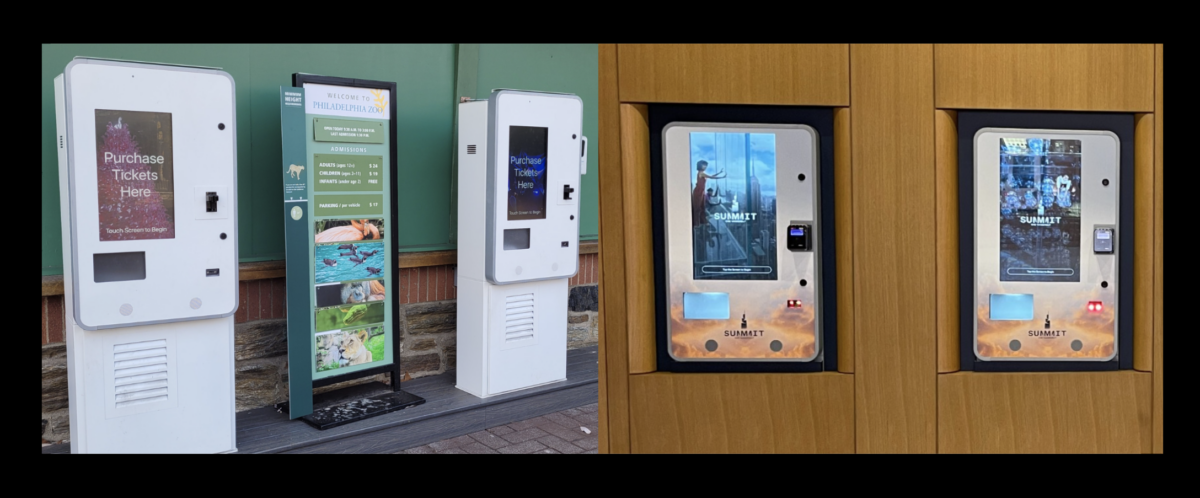
Kiosks designed with local processing and caching can continue supporting core functions during network interruptions rather than failing completely. A ticketing kiosk, for example, may continue handling certain offline transactions or displaying cached venue data until connectivity returns.
Redundancy and Backup Systems
Multiple kiosks serving the same task create natural redundancy, while component-level redundancy such as backup power or dual connectivity paths helps protect critical deployments.
Predictive Maintenance
Usage trends, error history, and component health data often indicate which systems are moving toward failure before breakdown occurs. Replacing parts during planned service windows is almost always less disruptive than emergency repairs during peak usage. Outdoor kiosks benefit especially from predictive monitoring because environmental stress accelerates wear in ways indoor systems rarely experience.
Total Cost of Ownership Considerations
The purchase price of a kiosk is only one part of long-term ownership cost. Consumables, software licensing, support contracts, repairs, and replacement planning all shape the true economics over time.
Ongoing Operational Costs
Receipt paper, cleaning materials, software subscriptions, payment platform fees, and connectivity costs all contribute recurring expenses that often become significant at fleet scale.
Maintenance and Support Contracts
Support contracts create predictable budgeting but vary widely in scope. Some cover nearly everything, while others leave consumables, preventive service, or specific repairs outside the agreement.
Replacement Timeline and Lifecycle Planning
Well-maintained indoor kiosks often remain operational for seven to ten years, although technology changes sometimes drive earlier replacement even when hardware remains functional. Planning replacement timelines in advance helps avoid large unplanned capital expenses when aging fleets begin reaching end-of-life simultaneously.
REDYREF Maintenance and Support Services
REDYREF supports kiosk deployments with maintenance strategies that reflect how systems are actually used, including preventive service planning, remote monitoring, parts coordination, and technical support tied to uptime expectations. We work with organizations to build maintenance approaches that match deployment scale, transaction volume, and operational priorities so that interactive kiosks continue delivering value throughout their operational life. Contact REDYREF to discuss maintenance and support requirements for your kiosk deployment.