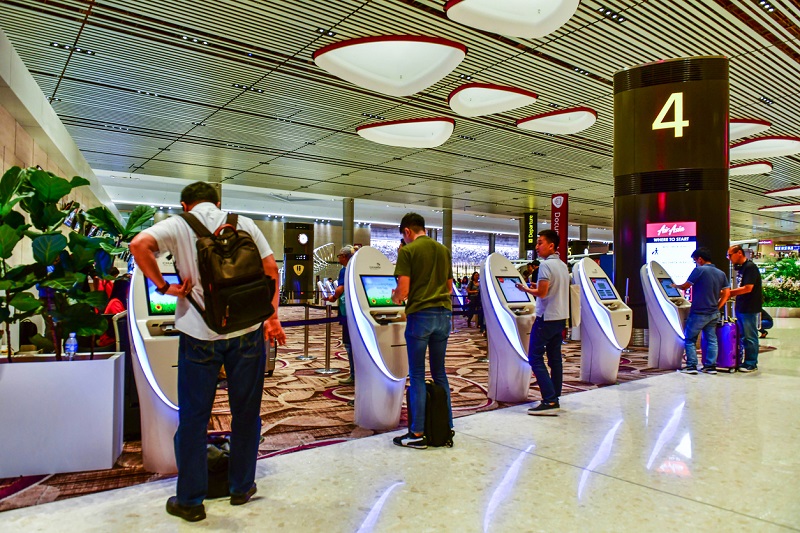
 Self-service technology allows customers to complete transactions, access information, or navigate facilities without direct staff assistance. Digital kiosks handle tasks ranging from ticket purchases and product orders to wayfinding and check-ins, reducing wait times while giving users control over their experience.
For venue operators, retail managers, and facility administrators, self-service kiosks address staffing constraints, improve operational efficiency, and collect transaction data that manual processes cannot capture. However, implementation requires understanding when self-service adds value versus when human interaction remains essential.
REDYREF designs and manufactures self-service kiosks for retail, transportation, entertainment venues, healthcare facilities, and public spaces where transaction volume, wait times, or information access create operational challenges.
How Self-Service Kiosks Work
Self-service kiosks combine touchscreen interfaces, payment processing hardware, and backend software to automate transactions or information delivery. Users interact with touchscreen kiosks to select products, purchase tickets, check in for appointments, or access services previously requiring staff assistance.
Modern kiosks integrate with existing business systems including point-of-sale platforms, inventory management, and payment processors, allowing real-time transaction processing while maintaining consistency with other sales channels. Well-designed interfaces anticipate user needs, provide clear error messages, and minimize steps to completion.
Types of Self-Service Kiosks
Self-service kiosks serve different functions depending on operational needs and industry requirements.
Ordering Kiosks
Quick-service restaurants and retail locations use self-order kiosks where customers browse menus, customize selections, and complete payment. This addresses peak-hour congestion while enabling staff to focus on food preparation and customer service.
Ticketing Kiosks
Transportation hubs, entertainment venues, and parking facilities deploy ticketing kiosks enabling customers to purchase tickets, select seats, or validate parking without waiting for agent assistance.
Payment Kiosks
Government facilities, utilities, and healthcare organizations use payment kiosks for bill payments, permit fees, and co-payment collection. These systems can process transactions outside traditional business hours while reducing front-desk workload.
Wayfinding Kiosks
Corporate campuses, hospitals, universities, and large retail complexes deploy wayfinding kiosks helping visitors navigate facilities through interactive maps, searchable directories, and turn-by-turn navigation.
Cash-to-Card Kiosks
In stadiums and entertainment venues, cash-to-card kiosks help operators support cashless transactions without excluding customers who arrive with physical currency, converting bills into venue-specific stored value cards.
Self-Service Applications Across Industries
Retail and Quick-Service Restaurants
Self-service ordering kiosks allow customers to browse menus, customize orders, and complete payment without waiting in traditional checkout lines. Kiosks often help increase average order value because customers spend more time browsing options and respond to upsell prompts that staff may inconsistently mention during busy periods. Restaurant operators benefit from reduced labor pressure during peak hours while maintaining service quality.
Transportation and Transit Hubs
Airports, train stations, and bus terminals deploy ticketing kiosks that allow travelers to purchase tickets, check bags, or modify reservations without queuing for agent assistance. This becomes especially valuable during peak travel periods when agent availability cannot scale to match demand surges. Transit kiosks reduce operational costs by handling routine transactions while preserving staffing for complex cases requiring human judgment.
Entertainment Venues
Movie theaters, sports arenas, and concert venues use kiosks for ticket sales and concession ordering, benefiting from faster processing during event entry rushes when hundreds of customers simultaneously seek service.
Healthcare Facilities
Patient check-in kiosks verify appointments, update insurance information, and collect co-payments, automating administrative tasks while improving patient flow. Medical facilities benefit from streamlined registration processes that free staff for clinical support roles.
Public Spaces and Government
Digital building directories help visitors navigate corporate campuses, hospitals, and universities without asking staff for directions. Government services including DMV transactions, permit applications, and bill payments increasingly support kiosk-based processing for routine requests, reducing foot traffic to service counters while maintaining availability for complex cases requiring staff expertise.
Benefits of Self-Service Technology
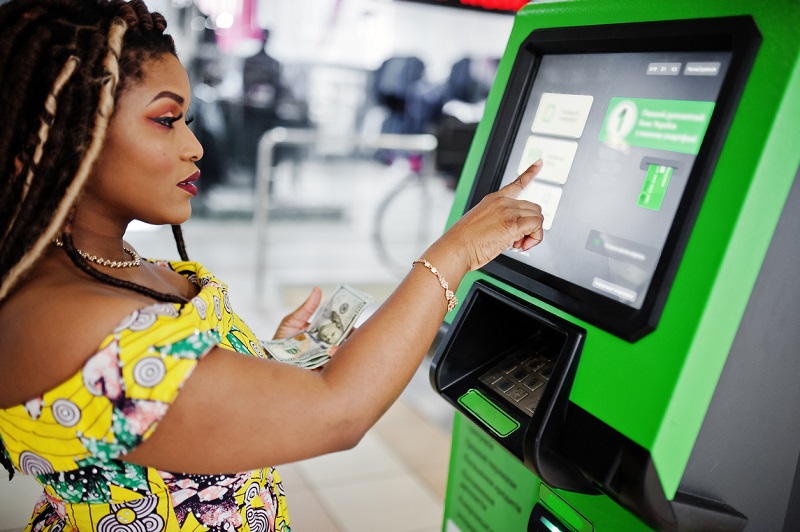 Self-service kiosks provide measurable operational and customer experience improvements when deployed appropriately.
Reduced Wait Times and Improved Throughput
Routine transactions move faster through kiosks largely because nothing slows the flow—no verbal repetition, no manual re-entry, no waiting for staff availability during peak periods. Multiple kiosks can serve customers in parallel while a single service counter creates bottlenecks. Venues deploying self-service can significantly reduce wait times for transactions that kiosks handle effectively.
Operational Efficiency
Automating routine transactions allows staff reallocation to higher-value activities. In retail environments, this means more floor assistance and inventory management. In transit hubs, staff can focus on customer service issues, accessibility assistance, and handling disruptions rather than processing standard ticket purchases. In many deployments, labor savings and throughput improvements become meaningful contributors to ROI over time, particularly in high-volume environments.
Enhanced Accuracy and Consistency
Self-service eliminates order entry errors from miscommunication between customers and staff. Customers verify their selections visually before confirming payment, reducing mistakes and the operational costs associated with correcting errors. Kiosks also deliver identical service quality regardless of time, location, or volume—no forgotten upsell prompts, inconsistent information, or fatigue-related performance variation. Quick-service restaurants often improve order accuracy after deploying ordering kiosks, directly improving customer satisfaction and reducing food waste.
Data Collection and Analytics
Kiosks capture granular transaction data including product selection patterns, customization preferences, transaction abandonment points, and peak usage times. This data informs menu optimization, pricing strategies, staffing schedules, and promotional planning. Traditional manual transactions provide limited behavioral data beyond final purchase totals, while kiosks track every selection, modification, and decision point throughout the transaction flow.
Challenges and Limitations
Self-service technology solves specific problems but introduces considerations that implementation planning must address.
User Adoption and Accessibility
Not all customers prefer or can effectively use self-service interfaces. Elderly users, individuals with disabilities, technologically inexperienced customers, or those facing language barriers may struggle with kiosk navigation. Successful deployments maintain staff availability to assist users who need help or prefer human interaction. ADA-compliant kiosk design addresses many accessibility concerns through proper mounting heights, screen angles, and alternative input methods.
Transaction Complexity Limits
Kiosks handle routine, predictable transactions effectively but struggle with edge cases, exceptions, or complex requests requiring judgment. Price discrepancies, age-restricted purchases, split payments, loyalty program issues, or special requests often require staff intervention. Understanding which transactions kiosks can fully automate versus which require hybrid approaches helps set realistic expectations for operational impact.
Technical Reliability Requirements
Kiosks become critical infrastructure once customers depend on them for service access. Hardware failures, software crashes, payment processing outages, or connectivity issues create frustration and operational disruption. Deployment planning must address maintenance protocols, uptime requirements, backup systems, and support escalation procedures. Organizations should evaluate manufacturing partners based on reliability track records and support capabilities.
Initial Investment and Ongoing Costs
Kiosk deployment requires capital investment in hardware, software licensing, installation, and integration with existing systems. Kiosk costs vary widely based on specifications and customization requirements. Ongoing costs include maintenance, software updates, payment processing fees, connectivity, and eventual hardware replacement. ROI calculations should account for transaction volume, labor cost savings, customer experience improvements, and data analytics value.
When Self-Service Makes Sense
Self-service is best suited to high-volume, routine transactions where speed matters and transaction patterns are predictable. Quick-service ordering, transit ticketing, event entry, and bill payments fit this profile.
It also makes sense in environments with persistent staffing constraints—locations where recruiting, training, and retaining personnel creates ongoing challenges or where demand fluctuates significantly, making consistent staffing difficult.
For organizations moving toward cashless operations, self-service provides tools that convert physical currency or enable digital payment methods customers may not regularly use.
It can also extend access in facilities where around-the-clock staffing would not make financial sense but customer demand exists outside traditional schedules.
Self-Service Kiosk Design Considerations
Effective self-service requires intentional design addressing user needs and operational requirements.
Interface Design
Touchscreen interfaces should minimize steps to transaction completion, use clear visual hierarchy, provide immediate feedback to user input, and guide users through processes without requiring instructions. Text should be legible from standing positions, buttons sized for finger accuracy, and error messages should provide clear resolution paths rather than technical jargon. User experience design directly affects adoption rates and transaction completion.
Physical Design
Kiosk height and viewing angles must accommodate users of different heights and mobility levels. Payment terminals and receipt printers should be accessible to wheelchair users. Weatherproofing and temperature management matter for outdoor deployments. Physical design also addresses brand presentation, vandalism resistance, cable management, and serviceability for maintenance personnel.
Payment Integration
Modern payment processing must support credit cards, debit cards, mobile wallets (Apple Pay, Google Pay), contactless NFC payments, and cash where applicable. Payment security compliance (PCI DSS) is non-negotiable. Transaction speed through payment processing directly affects user satisfaction and throughput capacity during peak periods.
Backend Integration
Kiosks should integrate seamlessly with existing point-of-sale systems, inventory management, customer databases, and analytics platforms. Real-time synchronization ensures inventory accuracy, prevents overselling, and maintains data consistency across sales channels. Organizations benefit from working with manufacturers offering comprehensive software solutions supporting integration requirements.
Frequently Asked Questions: Self-Service Kiosks
What transactions work best for self-service kiosks?
Self-service works best for high-volume, routine transactions with predictable patterns. This includes ticket purchases, food ordering, check-ins, bill payments, and information access. Complex transactions requiring judgment, exceptions handling, or extensive customization typically require human assistance.
How much do self-service kiosks cost?
Kiosk costs vary widely based on hardware specifications, software complexity, payment integration, and customization requirements. Pricing depends on features, enclosure design, integration needs, and deployment scale. Cloud-based software, payment processing fees, maintenance, and support add ongoing operational costs beyond initial hardware investment.
Can kiosks integrate with existing business systems?
Modern kiosks integrate with most point-of-sale platforms, inventory systems, customer databases, and payment processors through APIs. Integration complexity depends on existing system architecture and data requirements. REDYREF works with clients to ensure kiosk deployments connect seamlessly with operational infrastructure.
Are self-service kiosks ADA compliant?
Properly designed kiosks meet ADA accessibility requirements including appropriate mounting heights, clear floor space, readable displays, and accessible payment terminals. Voice guidance, adjustable display angles, and alternative input methods support users with various accessibility needs. Compliance requirements vary by deployment context and should be addressed during design planning.
Do customers prefer self-service or human interaction?
Preferences vary by demographic, transaction type, and context. Younger customers generally prefer self-service for routine transactions offering speed and control. Many customers appreciate choice, using self-service during peak times to avoid lines but seeking staff assistance for complex needs or when preferring personal interaction. Successful implementations offer both options.
REDYREF Self-Service Kiosk Solutions
REDYREF designs and manufactures self-service kiosks for retail, transportation, entertainment, healthcare, and public sector applications. Our solutions include ordering and payment kiosks, wayfinding directories, cash-to-card conversion systems, ticketing terminals, and information access platforms.
We work with clients from concept through deployment, addressing interface design, hardware specification, payment integration, backend connectivity, installation, and ongoing support. Whether deploying single units for pilot programs or enterprise rollouts across multiple locations, REDYREF provides solutions matching operational requirements and budget constraints.
Our manufacturing capabilities support custom enclosure designs, brand integration, and specialized hardware configurations while maintaining industrial reliability standards for high-traffic public environments.
Ready to Explore Self-Service Solutions?
Contact REDYREF to discuss self-service kiosk requirements for your facility, venue, or operation. Our team can help evaluate whether self-service technology fits your operational challenges and design solutions aligned with your specific requirements.